Construction projects and progress billing

Take control of your projects
and follow the dues of your work.

Connect the project bill of quantities to its contracts and progress billings: follow assigned and received quantities, issue owner and subcontractor billings, and review retention, tax, net due, and payment with the project cost center and its journal entries.

A complete contract cycle.
From the bill of quantities to retention settlement.
Bills of quantities and item assignment · Progress billings and retention · Ledgers and payments
Scope and quantities

Before you ask “how much do we pay?”
know what was assigned and received.

Keep the bill of quantities in the project file: item code, description, unit, quantity, and price, next to assigned and received quantities. Then link the subcontract to its items, and set quantities, prices, and the retention rate.

Explore the project cycle
Reviewing a construction project bill of quantities
Billing and collection

The billing is approved.
The payment has not arrived yet.

Keep approval and posting separate from collection or payment. Review net due, paid, and remaining for each party, and keep retention and its settlements on their own path.

Review the billing cycle
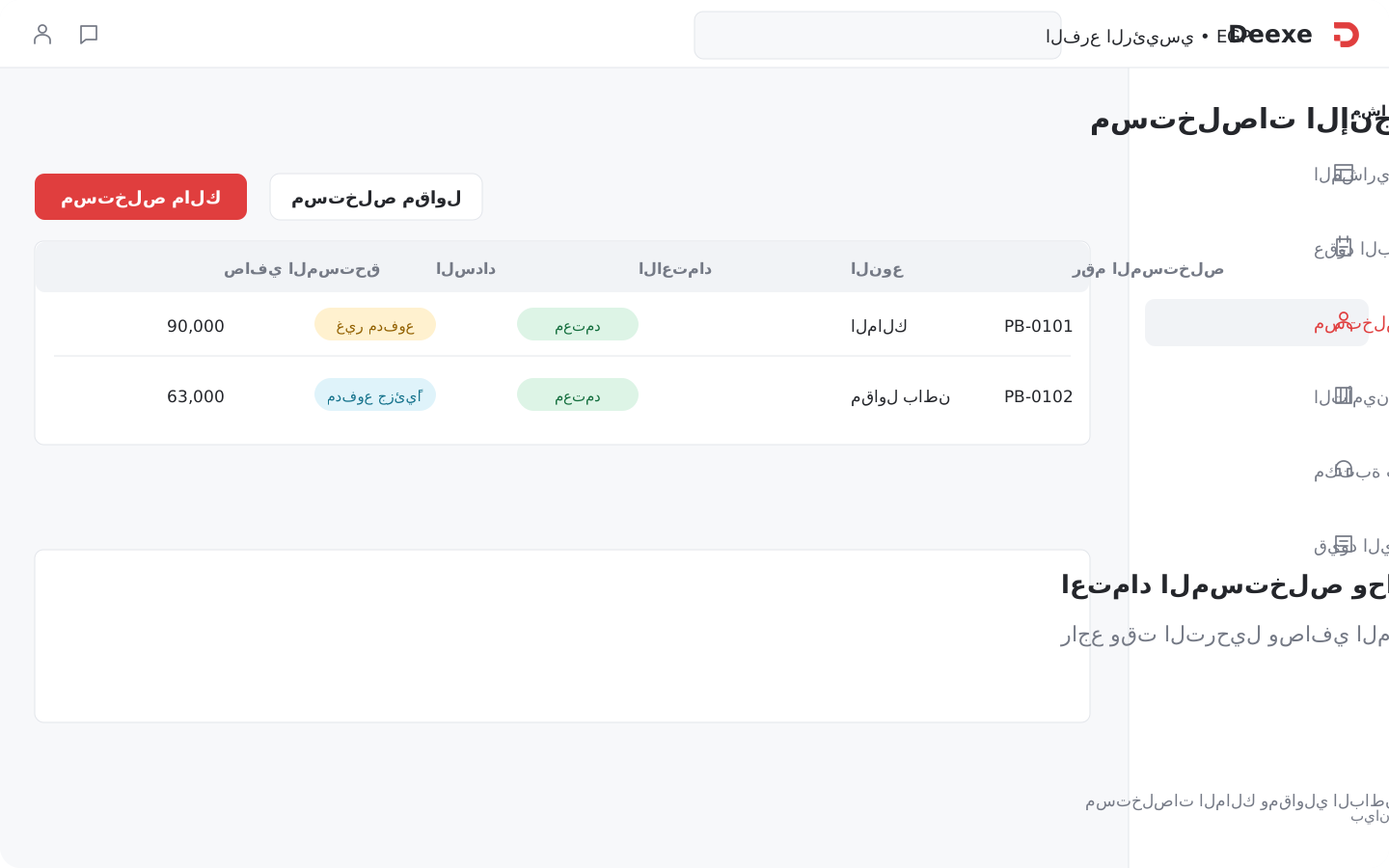
Reviewing an approved progress billing and its unpaid balance
The project on the books

The project has execution details.
It also has an effect on the books.

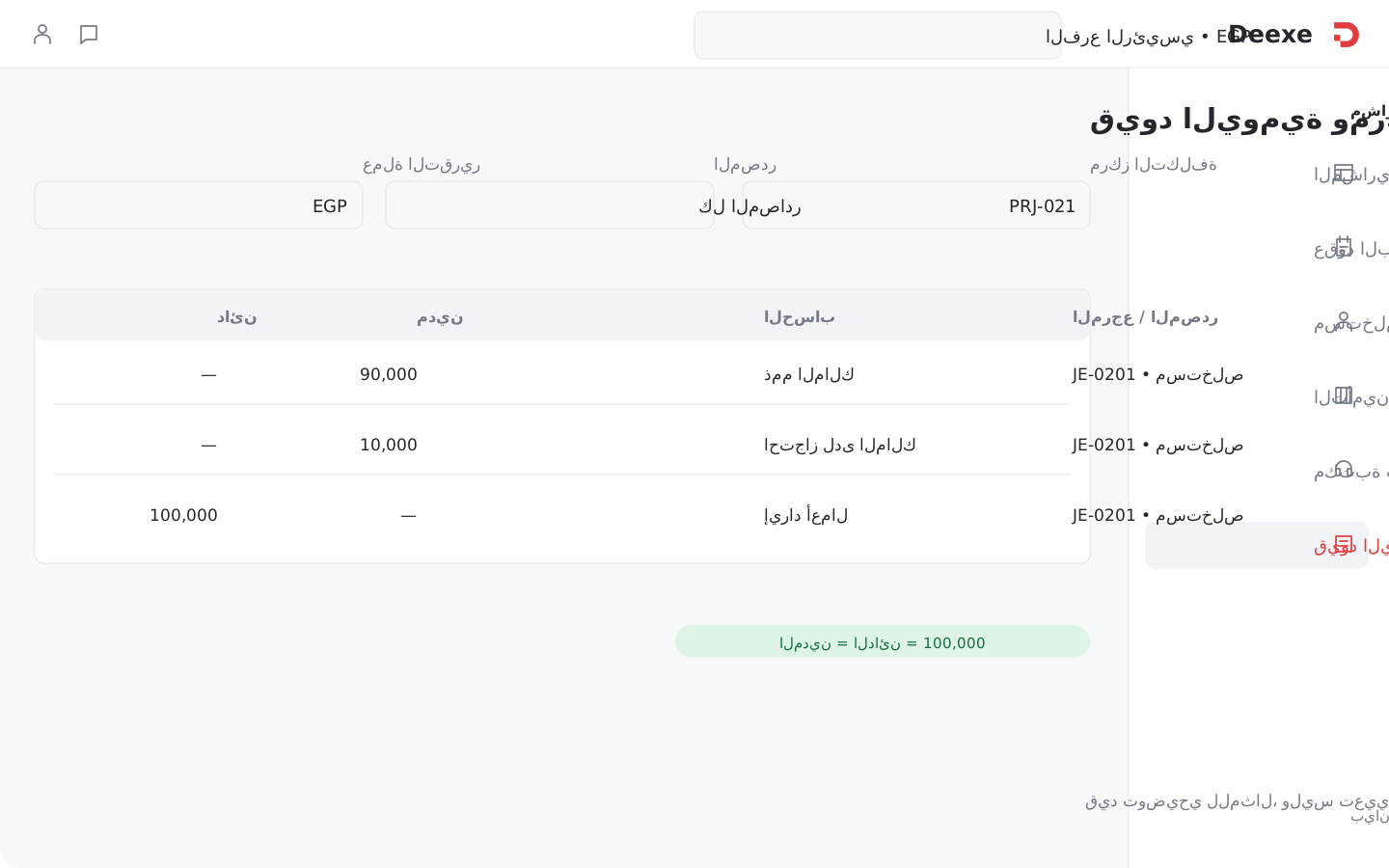
Link the project to its cost center, then open its billings, payments, and retention settlements from the same file. Go to the ledger and project profitability, and inspect entries by account, source, branch, and cost center.

See the accounting link
Project ledger and cost center in Deexe Project ledger and cost center in Deexe
The project file

One file for the contract, its parties, and its costs.

Construction project file in Deexe Construction project file in Deexe

One reference for the contract, its parties, and its costs.

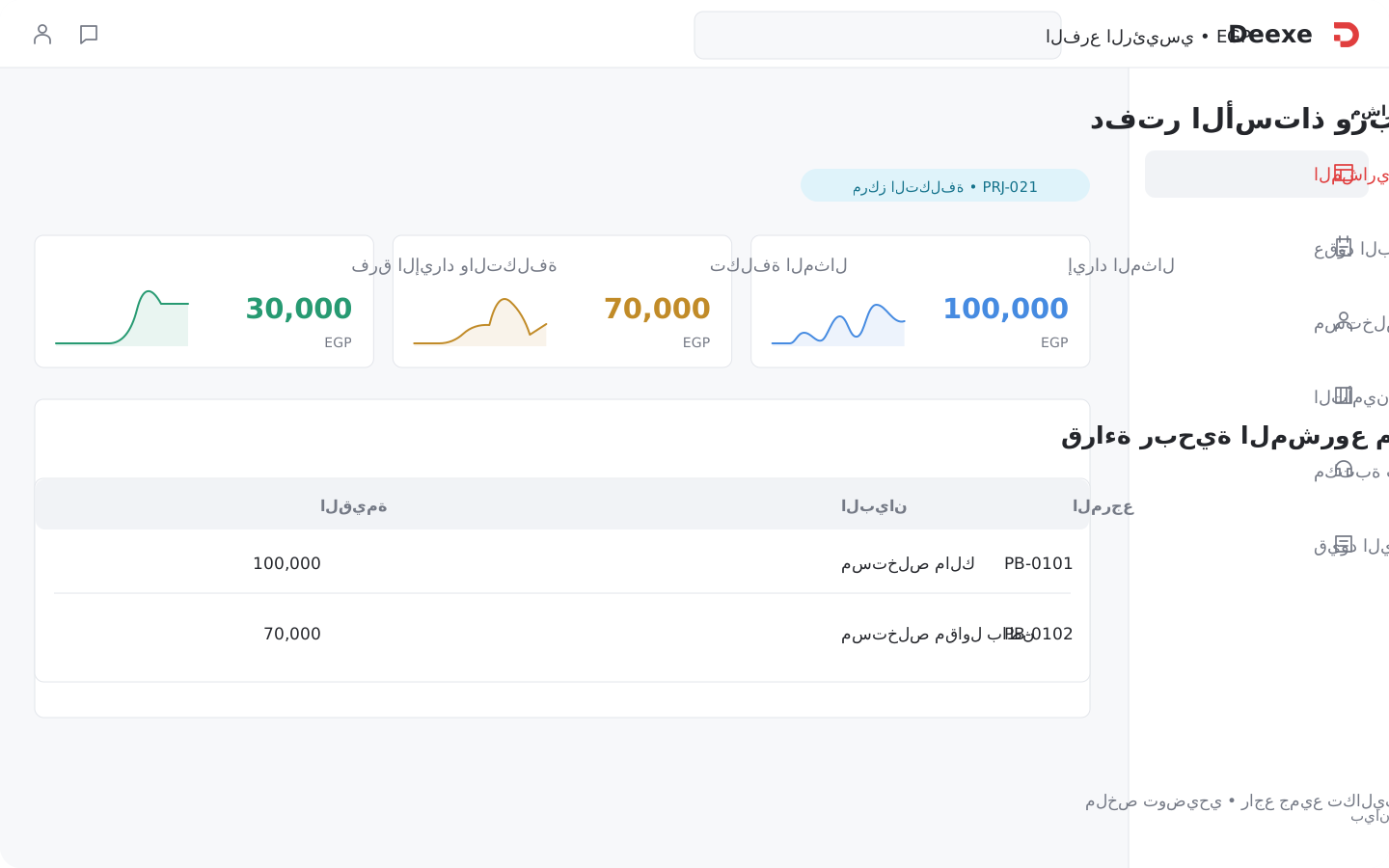
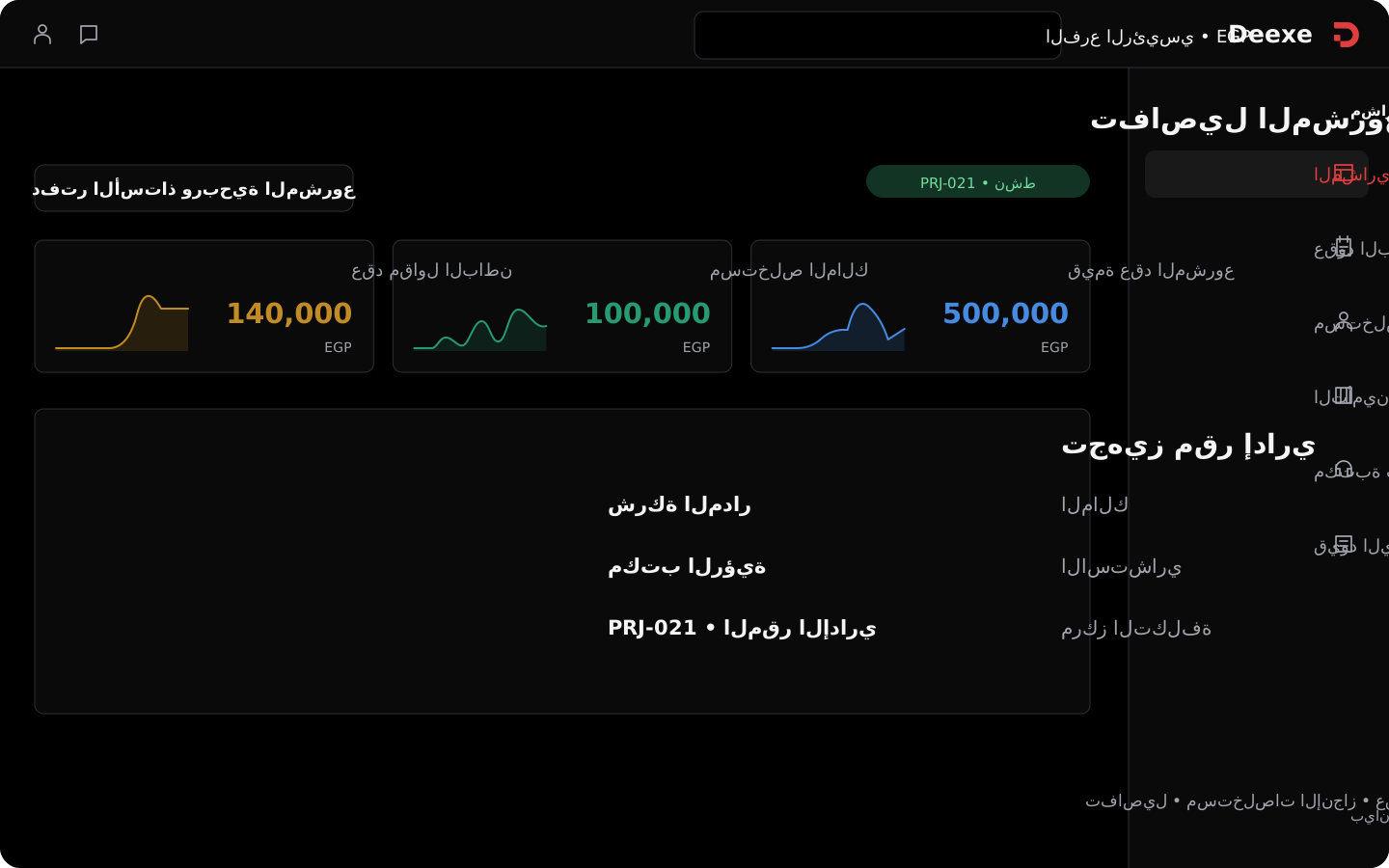
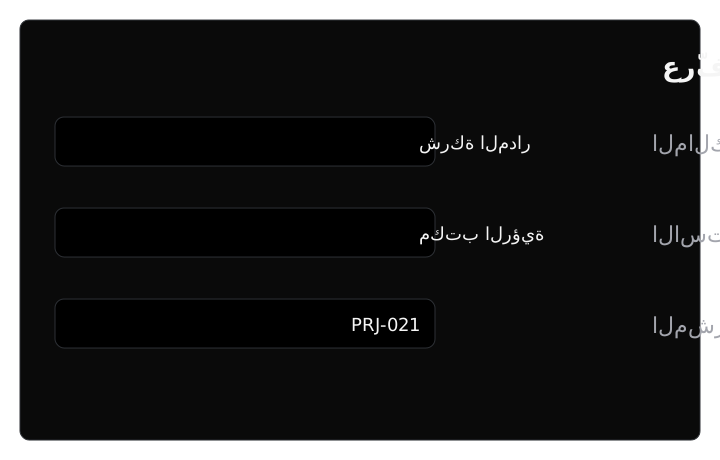
Define the project by code, name, owner, consultant, status, and start and end dates, and link it to a cost center. The estimated contract value appears in the file next to the bill of quantities, instead of a short project card.

  • Search by code, name, or consultant, with filters and column control.
  • Open the project, edit it, or create a subcontract or an owner billing.
  • Tabs gather billings, subcontracts, retention settlements, payments, comments, and activity.
Project bill of quantities in Deexe Project bill of quantities in Deexe

Keep three readings of quantity, not one number.

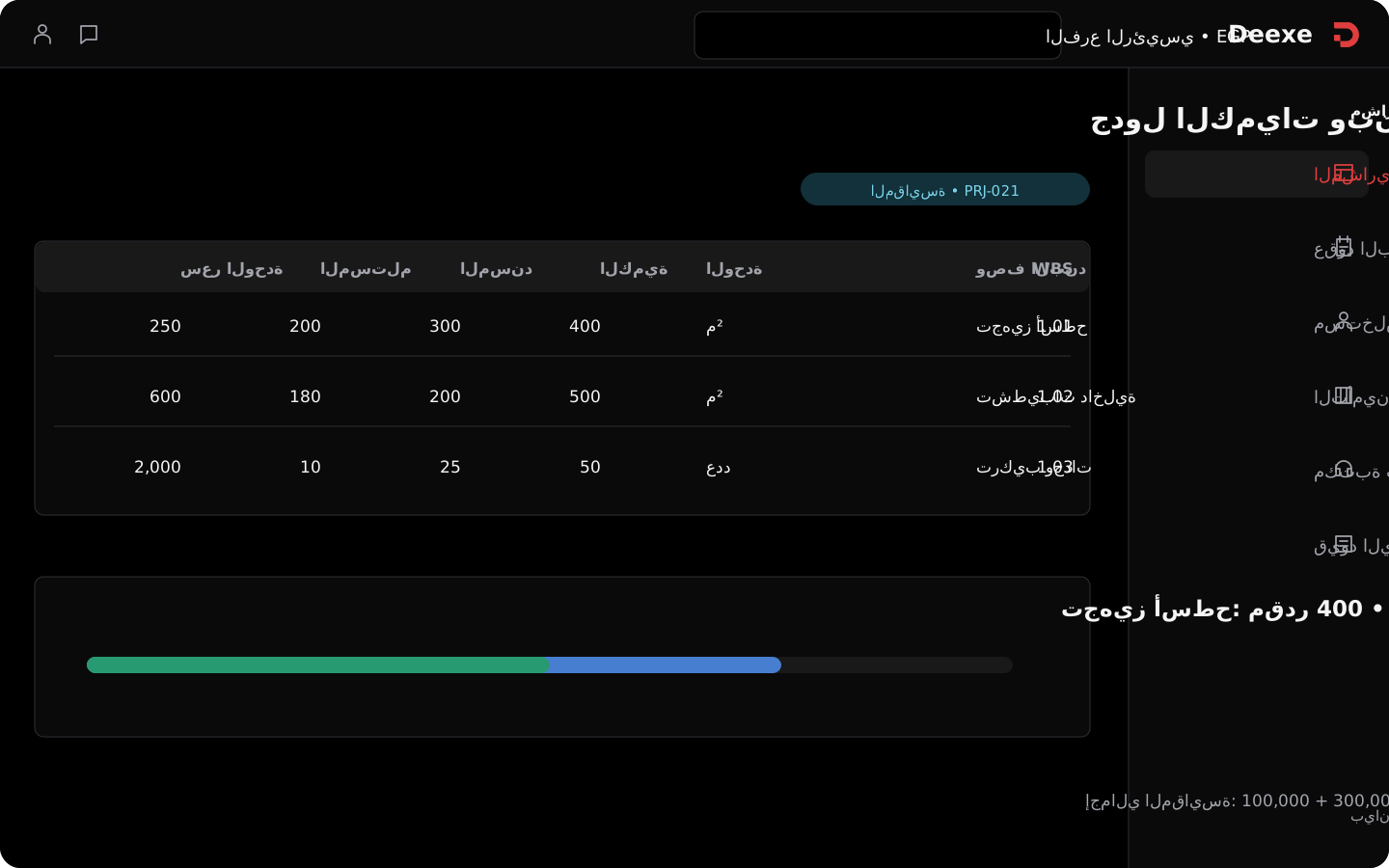
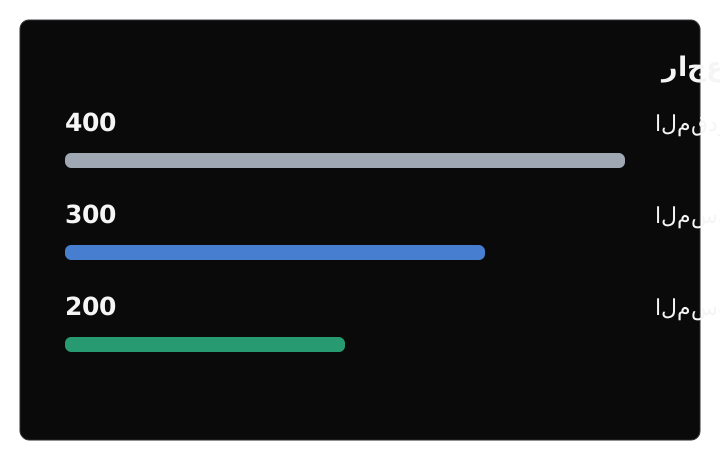
Each item has a WBS code, description, unit, quantity, unit cost, and line total. Planned quantity sits next to assigned and received quantities, so you can read the scope, its distribution, and what was received without treating assignment as completion.

  • The item code keeps its reference inside the bill of quantities.
  • Units follow the item: count, square meter, cubic meter, and others.
  • Compare planned, assigned, and received, with the line total and the project estimate.
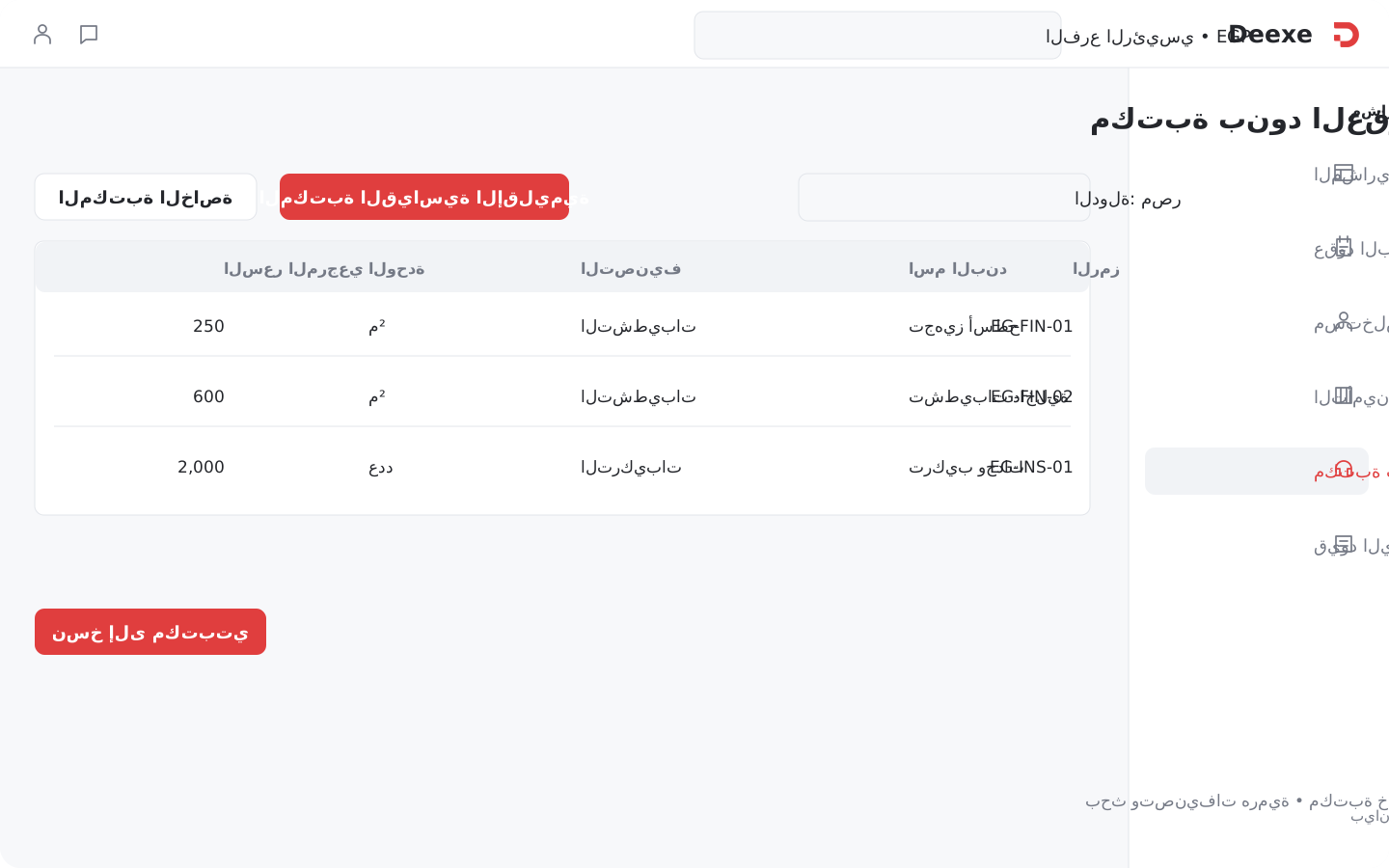
Contract item library in Deexe Contract item library in Deexe

Do not rewrite repeating items on every project.

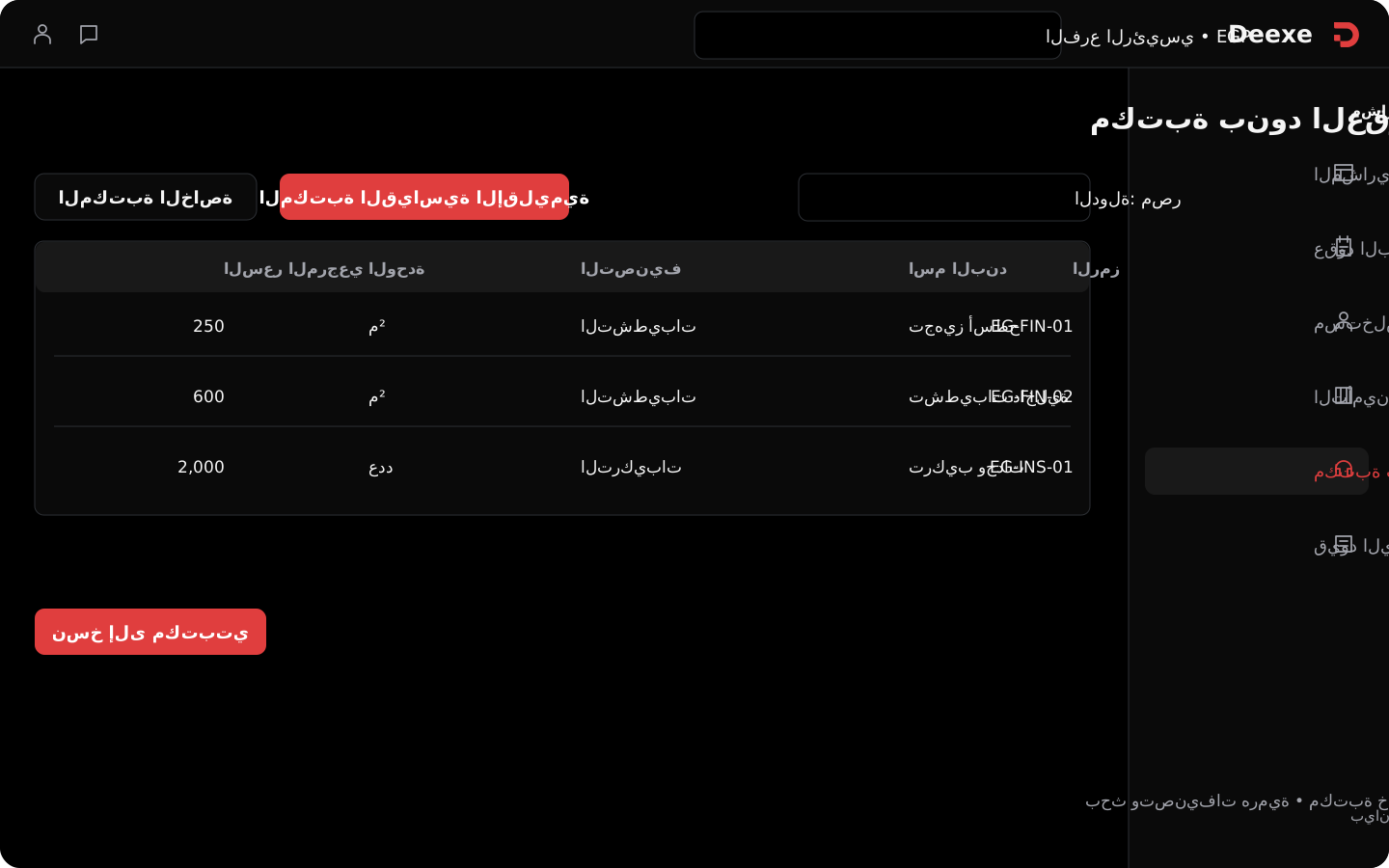
Start from your own library or the regional standard library. Search the item, choose the country and classification, then review its code, name, description, unit, reference price, and status. You can copy the item into your library to reuse it.

  • Hierarchical classifications make work groups easier to find.
  • Your library stays separate from the regional library.
  • The displayed price is a reference; review it before a new bill of quantities or contract.

Assignment and billings
inside the same project.

Know what was assigned, what was billed, and whether it was paid.

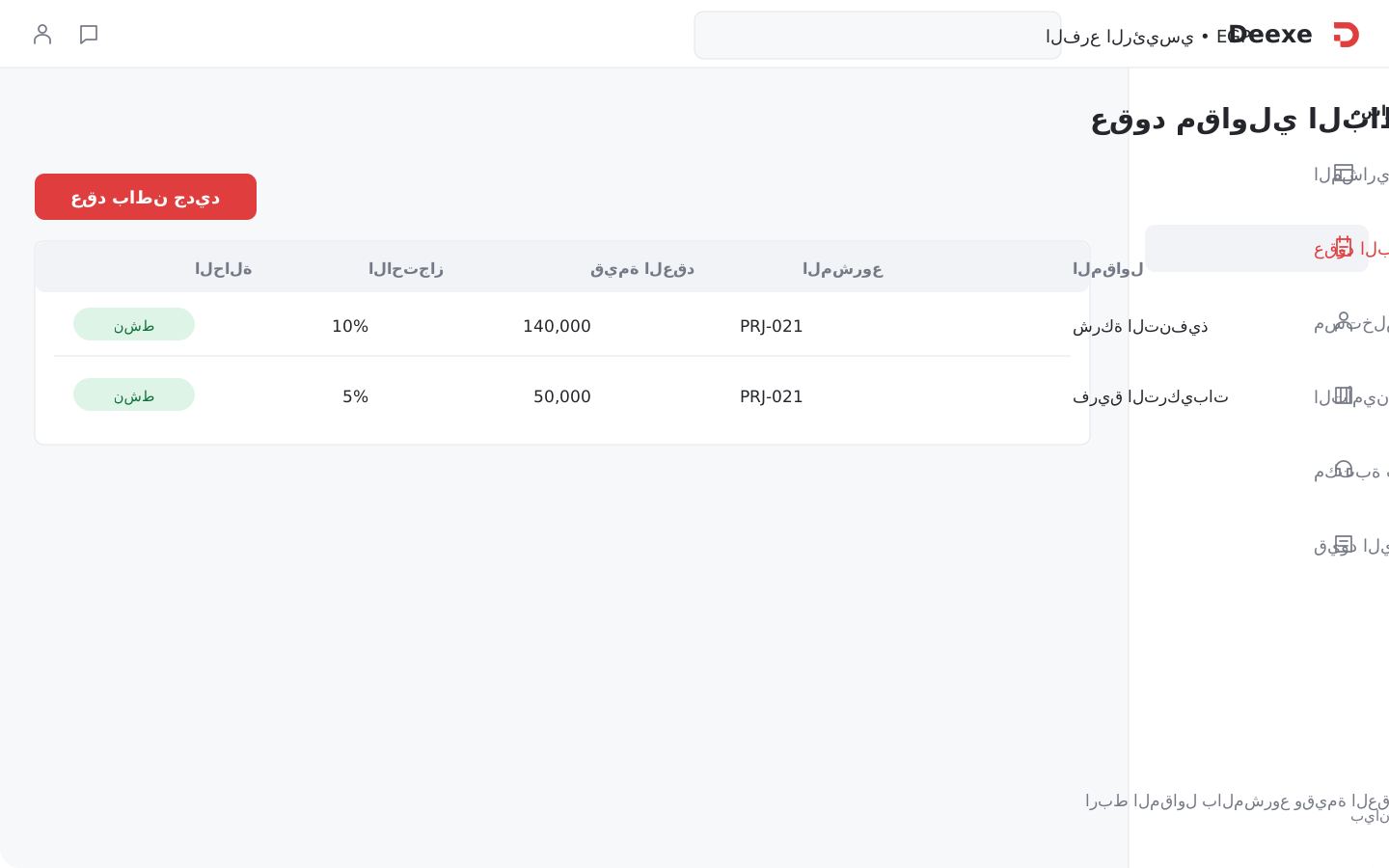
Subcontractor contracts in Deexe Subcontractor contracts in Deexe

The contract sets responsibility before you calculate what is due.

Link the contractor to the project and record the contract value, date, and retention rate. The contract register shows the party, value, and status, and the project file opens the related subcontracts.

  • A contract value and a retention rate for each contract.
  • Link the contractor to the project instead of keeping an agreement outside the work cycle.
  • Follow contract status and open its details from the project.
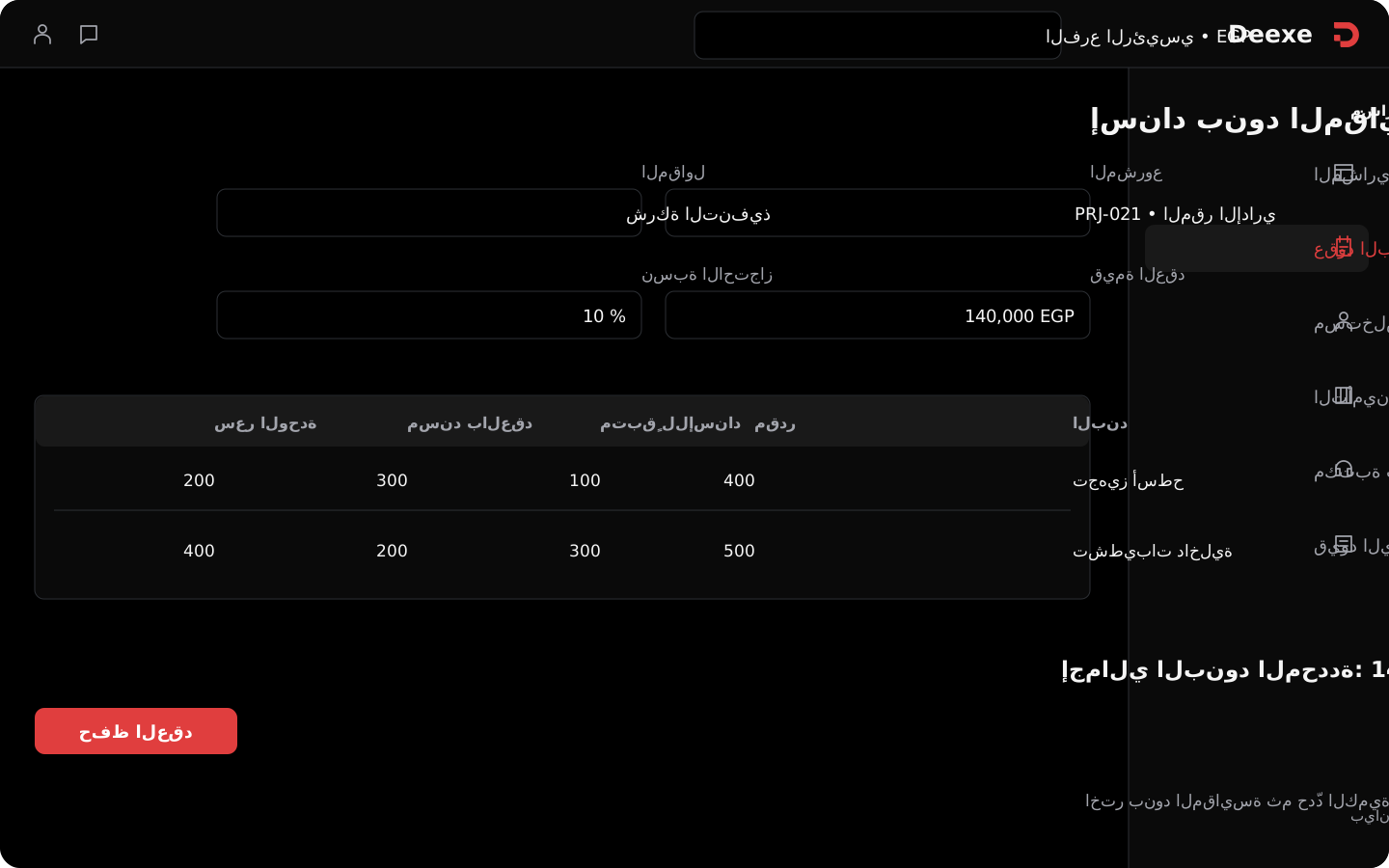
Assigning bill-of-quantities items to a subcontract in Deexe Assigning bill-of-quantities items to a subcontract in Deexe

Give the contractor a share from the same bill of quantities.

When you create the subcontract, choose the assigned items from the project bill of quantities. Review estimated and remaining quantity, enter assigned quantity and unit price, then review each line total and the total of selected items.

  • Assignment at item level, with its code, description, and unit.
  • Assigned quantity and unit price belong to that contract.
  • Remaining-to-assign helps you review distribution; it does not by itself block over-assignment.
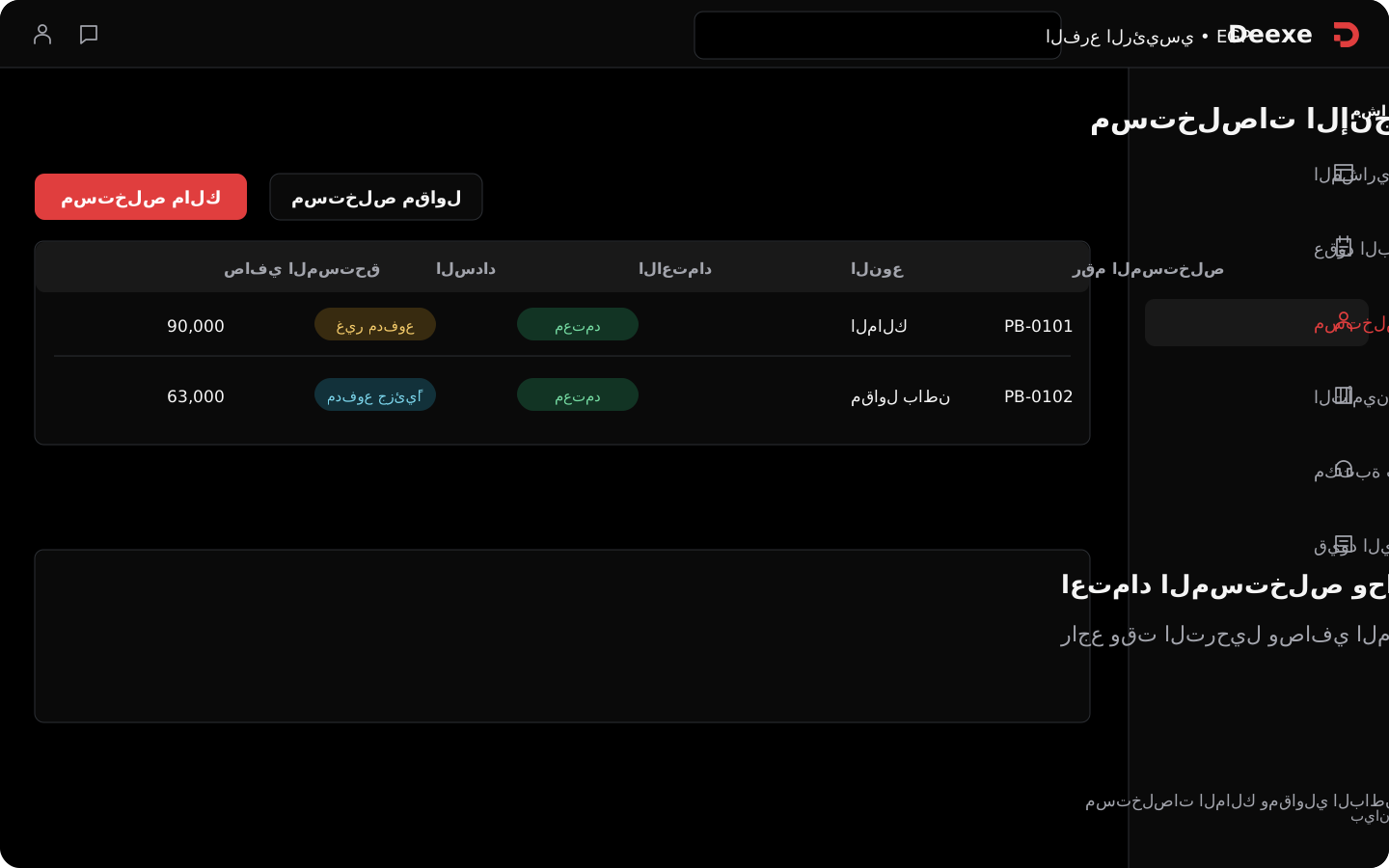
Owner and contractor progress billings in Deexe Owner and contractor progress billings in Deexe

An amount due to you, and an amount due from you, in the same project.

Create an owner billing or a subcontractor billing, and set the project, party, number, date, and posting time. The billing register shows type, approval status, payment status, net due, paid, and remaining.

  • Two clear paths for owner billings and subcontractor billings.
  • Open billings from the register or from the project file.
  • Approval is independent of payment; an approved billing can still be unpaid.
Progress billing measurement in Deexe Progress billing measurement in Deexe

Review the basis of the billing before you approve it.

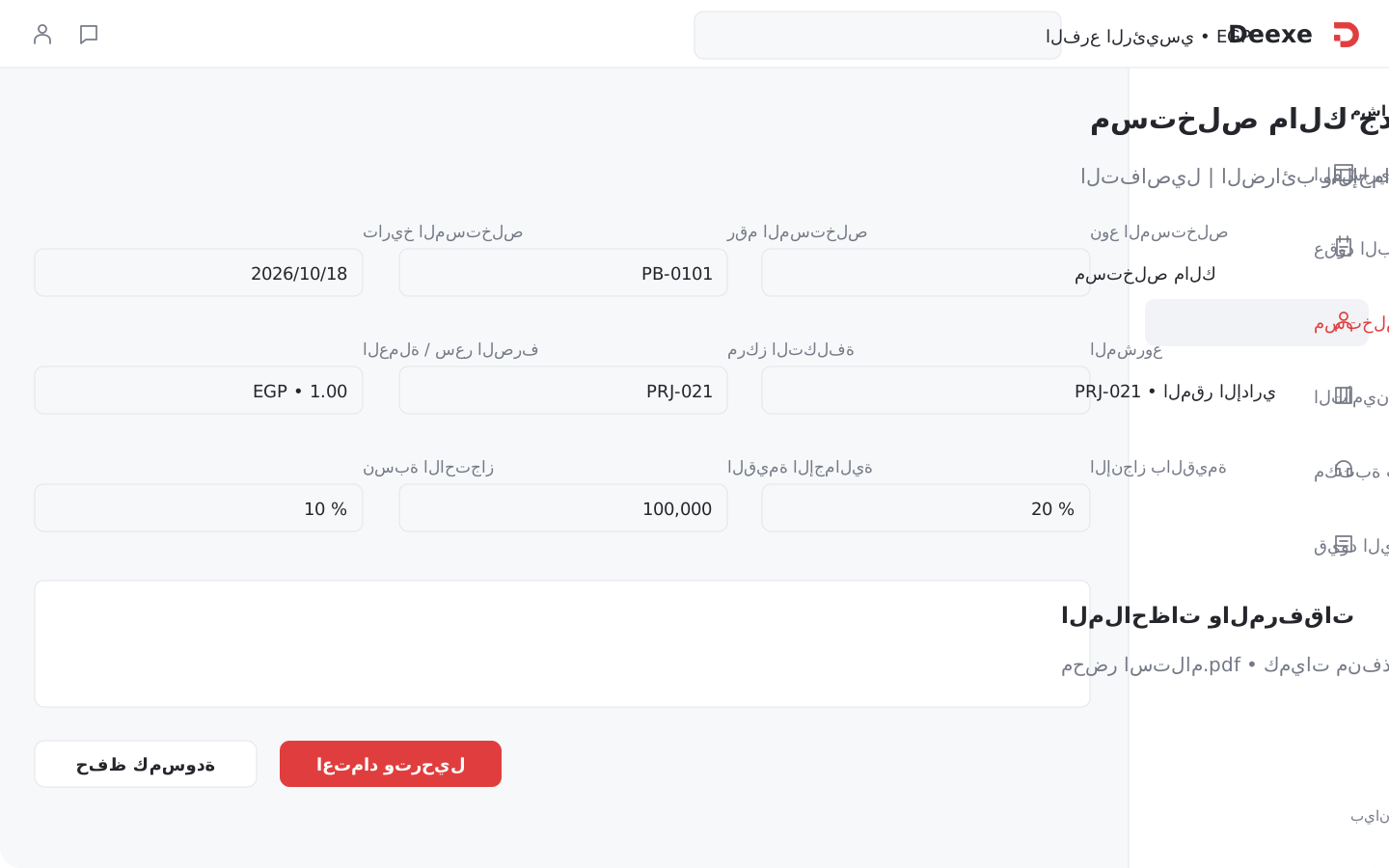
The billing screen includes quantity progress, value progress, total value, and retention rate, plus the project, cost center, currency, and exchange rate. These fields help you inspect the billing in the contract context before posting.

  • Quantity progress and value progress appear as separate fields.
  • Billing date and posting time belong to the document.
  • Notes and attachments support review and documentation.

Retention, payment,
and the books.

Gross value is not net due. Approved is not paid. Retention has its own settlement.

The value of the works is not always the net amount due.

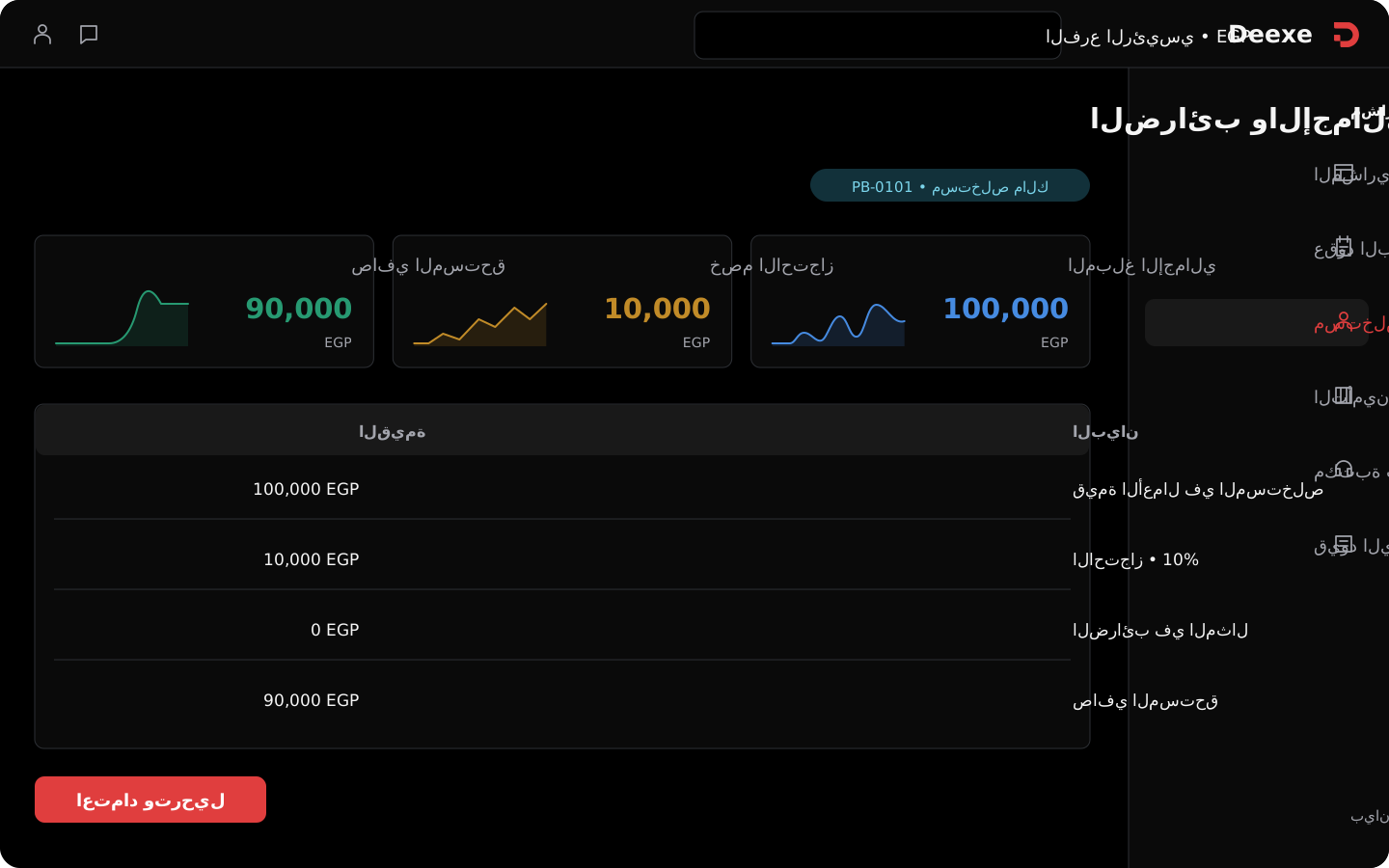
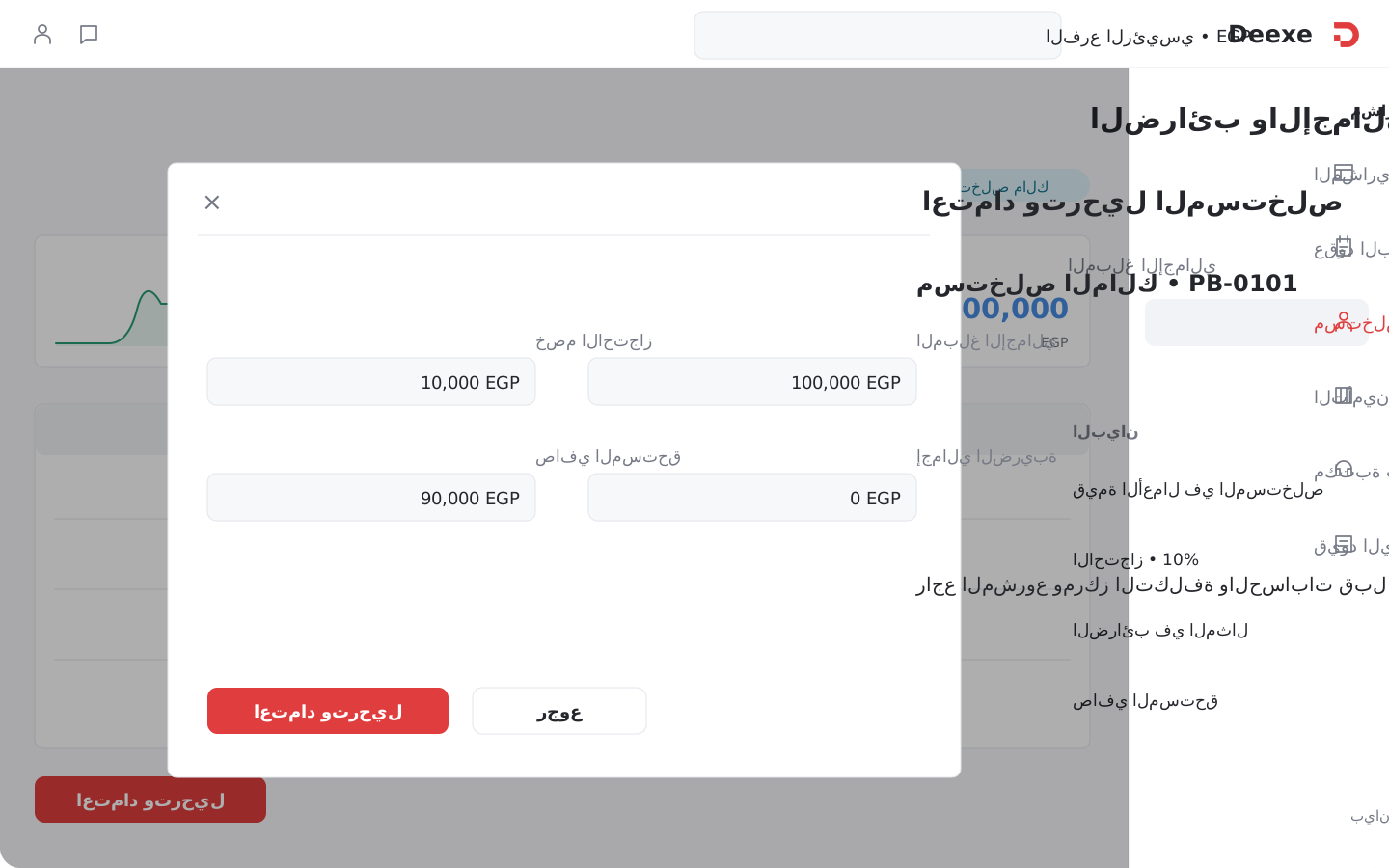
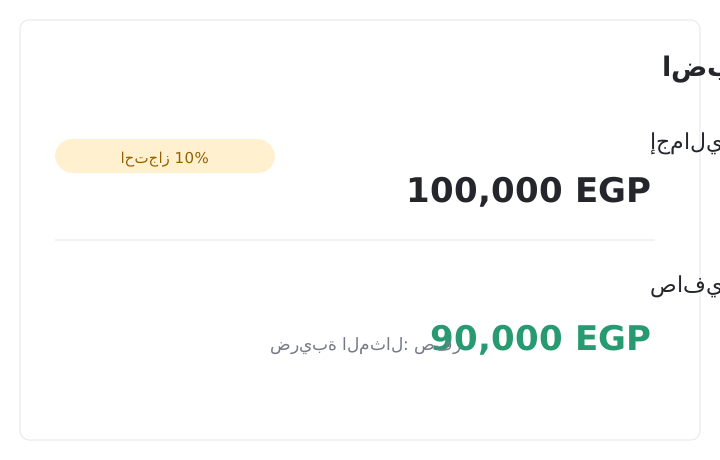
Review the gross amount, retention deduction, tax total, and net due on the billing. Taxes and totals sit in their own tab, with a tab for financial accounts, so the financial data is part of the review before approval.

  • Retention rate and value appear on the billing.
  • Net due is shown separately from the gross value.
  • Set currency, exchange rate, and cost center on the document.
Billing totals, retention, and tax in Deexe Billing totals, retention, and tax in Deexe

Leave the billing as a draft until review is complete.

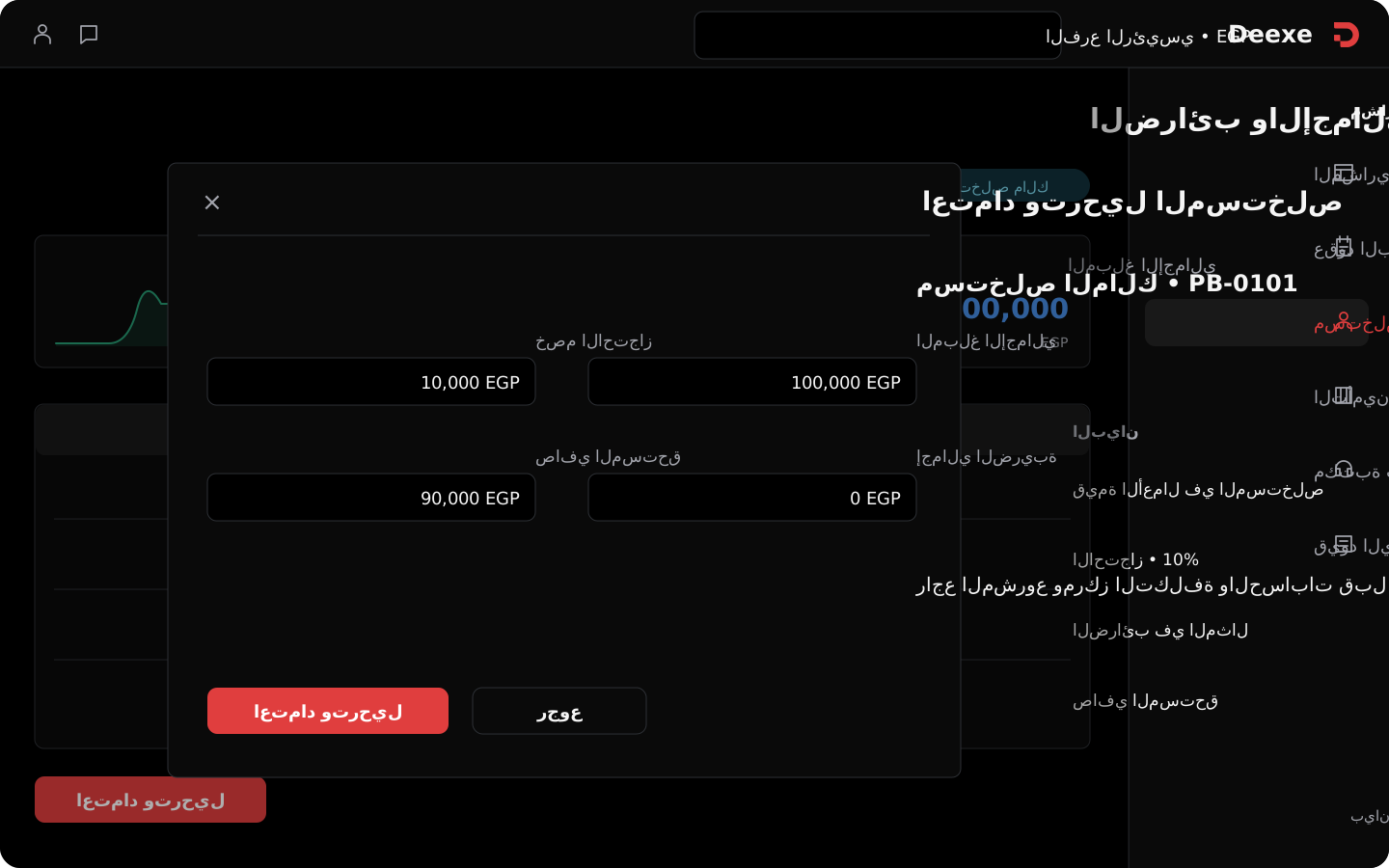
Save as a draft, or approve and post. Review the parties, project, progress value, retention, taxes, accounts, and attachments, then follow the billing status and posting time in the register.

  • Save as a draft before approval.
  • Approve and post from the billing path.
  • Posted status is separate from payment follow-up.
Approving and posting a progress billing in Deexe Approving and posting a progress billing in Deexe

What was approved, what was paid, and what remains.

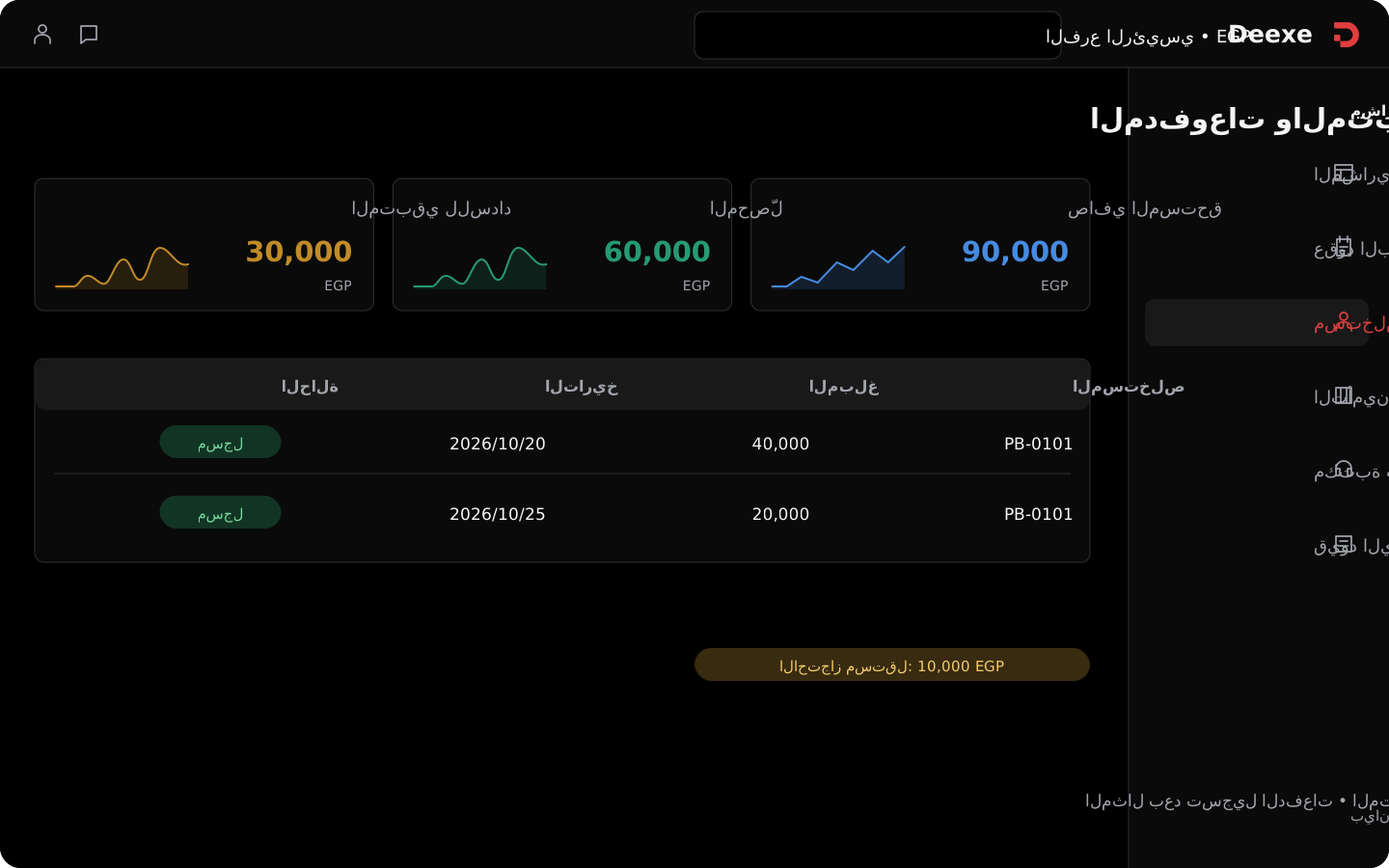
Review net due, paid, and remaining for each billing. The project file gathers payments in their own tab, so you follow the cash movement next to billings and contracts.

  • Net due differs from the gross works before retention.
  • Paid and remaining appear in the billing register.
  • Do not mix remaining to pay with retention, which follows the settlement path.
Progress billing payments and remaining balances in Deexe Progress billing payments and remaining balances in Deexe

The end of execution does not close the retention account by itself.

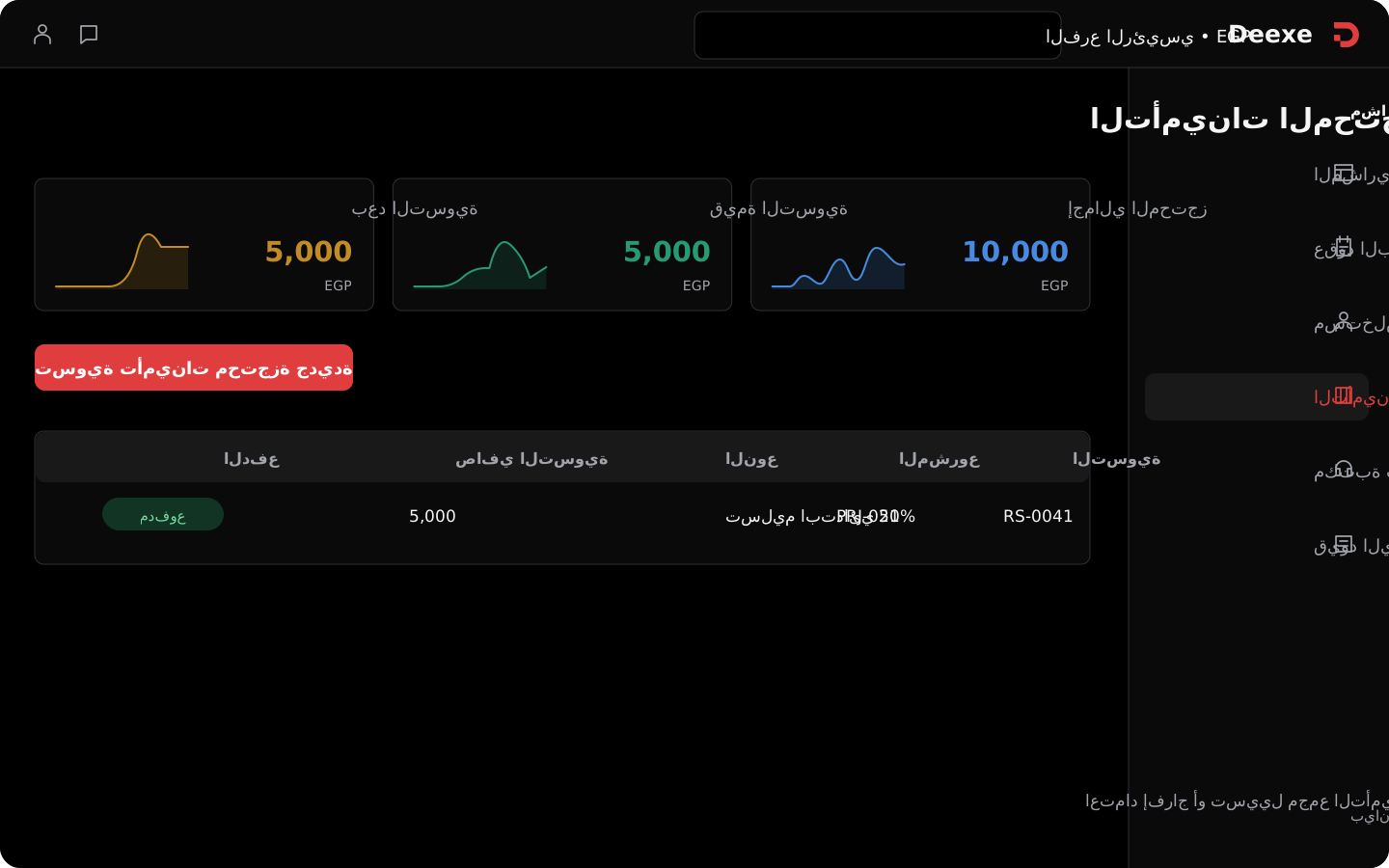
Follow release or liquidation settlements from the retained amounts when the project is completed. The register shows the project, settlement type, net, remaining to pay, approval status, and payment status, with search by project, settlement, or minutes.

  • A separate path for retention settlements.
  • The screens show an example of 50% initial handover; that is not a fixed rule for every contract.
  • Approval and payment appear separately on the settlement as well.
Retention settlements in Deexe Retention settlements in Deexe

Go from the project summary to the journal line.

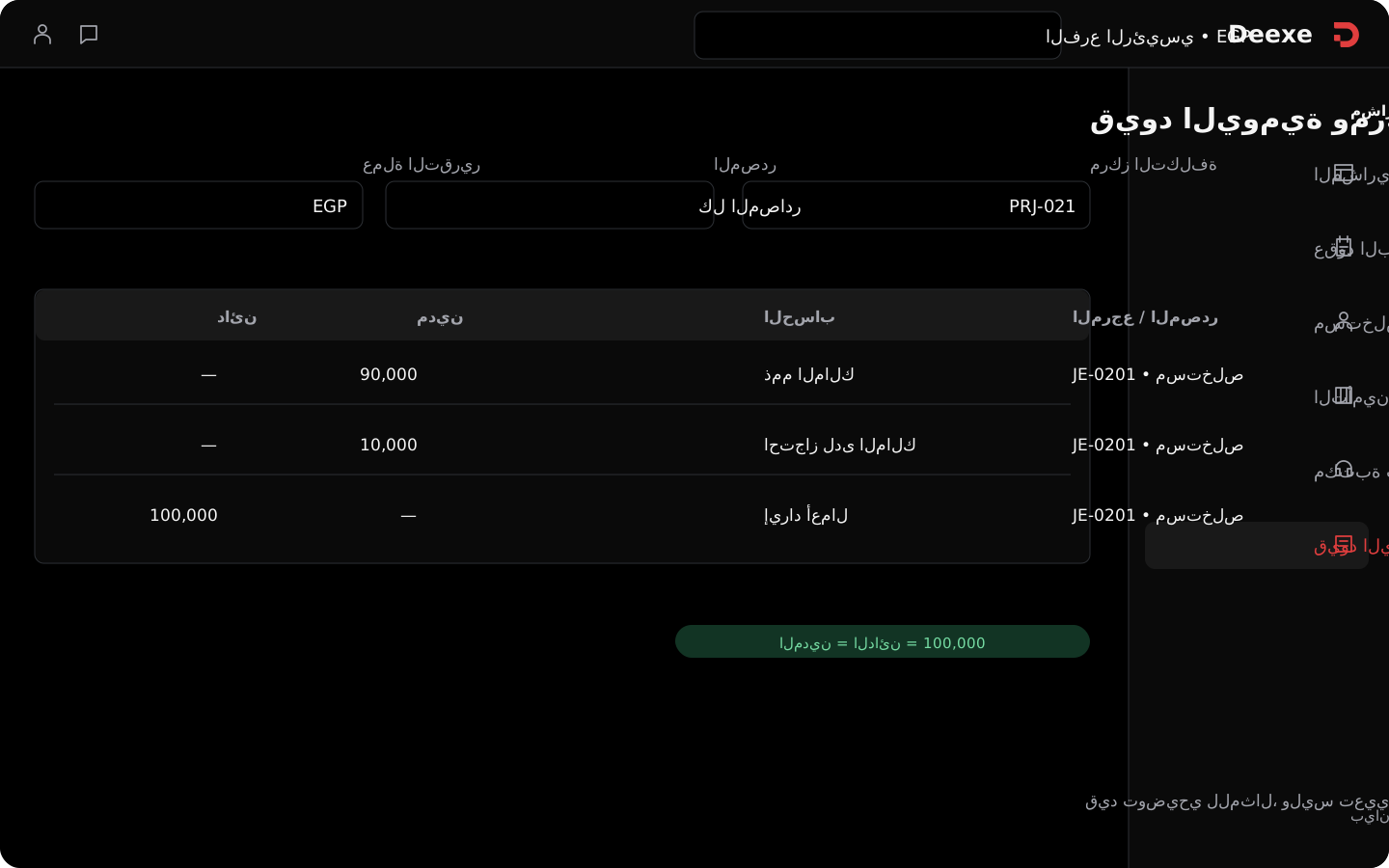
The project file opens the ledger and its profitability. Journals can be filtered by date, account, cost center, branch, entry type, source, and status. Inspect debit, credit, reference, and document source, and show the report in base currency or the selected branch currency.

  • Billings are linked to the books, and the project is linked to a cost center.
  • Follow the entry source, reference, and account, and search line and header text.
  • Project profitability should include all recorded revenue and cost, not one receipt against one payment.
Project ledger and cost center in Deexe Project ledger and cost center in Deexe

Watch the contract cycle.

One view of quantities and assignment, and another of billings, retention, and accounts.

Bill of quantities, contract, and assignment

Billing, retention, and accounts

Contract tools

The contract cycle,
with a tool for each detail.

Bill of quantities, assignment, progress, billing, retention, collection, and the books in the same project.

Projects and bills of quantities

Define the project by code, name, owner, consultant, status, and start and end dates, and link it to a cost center. The estimated contract value appears in the file next to the bill of quantities, instead of a short project card.

Bill of quantities

Each item has a WBS code, description, unit, quantity, unit cost, and line total. Planned quantity sits next to assigned and received quantities, so you can read the scope, its distribution, and what was received without treating assignment as completion.

Contract item library

Start from your own library or the regional standard library. Search the item, choose the country and classification, then review its code, name, description, unit, reference price, and status. You can copy the item into your library to reuse it.

Subcontractor contracts

Link the contractor to the project and record the contract value, date, and retention rate. The contract register shows the party, value, and status, and the project file opens the related subcontracts.

Item and quantity assignment

When you create the subcontract, choose the assigned items from the project bill of quantities. Review estimated and remaining quantity, enter assigned quantity and unit price, then review each line total and the total of selected items.

Owner and contractor billings

Create an owner billing or a subcontractor billing, and set the project, party, number, date, and posting time. The billing register shows type, approval status, payment status, net due, paid, and remaining.

Progress and billing value

The billing screen includes quantity progress, value progress, total value, and retention rate, plus the project, cost center, currency, and exchange rate. These fields help you inspect the billing in the contract context before posting.

Retention, tax, and totals

Review the gross amount, retention deduction, tax total, and net due on the billing. Taxes and totals sit in their own tab, with a tab for financial accounts, so the financial data is part of the review before approval.

Drafts, approval, and posting

Save as a draft, or approve and post. Review the parties, project, progress value, retention, taxes, accounts, and attachments, then follow the billing status and posting time in the register.

Payments and remaining balances

Review net due, paid, and remaining for each billing. The project file gathers payments in their own tab, so you follow the cash movement next to billings and contracts.

Retention settlements

Follow release or liquidation settlements from the retained amounts when the project is completed. The register shows the project, settlement type, net, remaining to pay, approval status, and payment status, with search by project, settlement, or minutes.

Cost centers and the ledger

The project file opens the ledger and its profitability. Journals can be filtered by date, account, cost center, branch, entry type, source, and status. Inspect debit, credit, reference, and document source, and show the report in base currency or the selected branch currency.

Contract setup

Before the first billing,
fix the contract data.

Six setup points that make the bill of quantities, contracts, and accounts speak about the same project.

Define the project and its parties

Record the owner, consultant, project dates, status, and cost center.

Project parties and cost center in Deexe Project parties and cost center in Deexe

Prepare the item reference

Choose items from your library or copy them from the regional library, and review the unit and reference price.

Preparing contract items in Deexe Preparing contract items in Deexe

Review assignment quantities

Set the estimated quantity, then the share of each subcontract and its item prices.

Reviewing assigned quantities in Deexe Reviewing assigned quantities in Deexe

Set retention terms

Review the retention rate on the contract and the billing, and how its settlement is followed.

Retention terms on a contract and billing in Deexe Retention terms on a contract and billing in Deexe

Link accounts to the project

Review the cost center, currency, exchange rate, and financial accounts on the document.

Project accounts and cost center in Deexe Project accounts and cost center in Deexe

Test approval and payment

Create a billing draft, review its totals, then test posting and payment follow-up.

Testing billing approval and payment in Deexe Testing billing approval and payment in Deexe

Questions that repeat during execution.
The answers sit in the project details.

Quantities, assignment, billings, settlements, and account movement.

Assigned and received quantities on a project item

How much was assigned?
How much was received?

Read planned, assigned, and received quantities for each item.

Assigning an item to a subcontract

This item,
under which contract?

Link the contractor’s share to bill-of-quantities items, quantities, and prices.

Approved progress billing with unpaid remaining

The billing is approved.
Has it been paid?

Review net due, paid, and remaining independently.
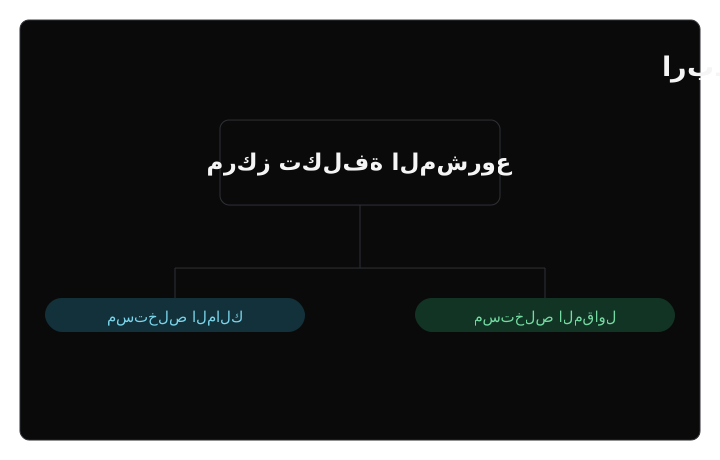
Retention settlement after project handover

Handover is done.
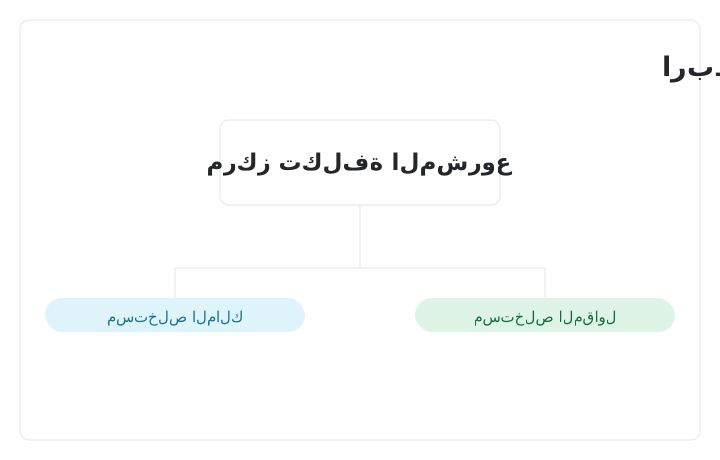
What about retention?

Follow the settlement, its approval, net, and payment status.

Opening a project journal entry from the summary

The number is in front of you.
Go back to its entry.

Review the account, source, branch, and cost center.

Connected tools

The contract is linked
to the rest of the work.

The project’s cost center, billings, payments, and books appear in the same work cycle. You can extend operations with the other tools in Deexe according to the modules you turn on and the linking setup you choose.

Finance and accountingTreasury and paymentsProjects and tasksSales and CRMPurchases and inventoryHuman resources

Linking details follow the settings you choose; having the modules together does not mean every flow runs automatically.

Each team reviews the project from a different angle

Scope, obligations,
and accounts each need follow-up.

Download on the App Store Get it on Google Play

Project manager

Reviews the bill of quantities, assignment, subcontracts, and billings linked to the project.

Accountant and finance manager

Inspects retention, tax, net due, payments, settlements, and their effect on the books.

Management

Returns to the project file, its cost center, and the ledger to review obligations and profitability.

Getting started

Start with a trial project,
and test one billing cycle.

Preparing a project bill of quantities Preparing a project bill of quantities

Prepare
the bill of quantities.

Linking a subcontract and assigned items Linking a subcontract and assigned items

Link
the subcontract.

Reviewing billing totals and posting Reviewing billing totals and posting

Review the billing
and posting.

Questions before you set up the contract cycle

If you cannot find the answer here, contact support.

Work or accounts?

What is the difference between this and projects & tasks?

Projects and tasks run the work: plans, tasks, timelines, and the team. Construction contracts and progress billings run the accounts: quantities, dues, retention, and the books. Use one, or both.

Comparison of the projects and tasks system and the construction contracts and progress billing system
What we compare Projects and tasksWork and execution Contracts and progress billingAccounts and dues
What the system manages A work project with tasks, stages, timelines, and the team. A financial project file with a bill of quantities, contracts, billings, and retention.
The activity it fits Any team that plans work, assigns tasks, and follows execution. Contracting and projects measured by items, quantities, and progress billings.
The main record in daily work The task, the milestone, and the project timeline. The item, the subcontract, and the progress billing.
What “progress” means Task status, Gantt, time logs, and reminders. Planned, assigned, and received quantities, and progress by quantity or value.
Money Not the focus. Billing and accounts sit in the finance tools. Gross value, retention, tax, net due, paid, remaining, and the ledger.
The people in the file Assignees, followers, and the work team. Owner, consultant, subcontractors, and the cost center.
After handover Close tasks and milestones, and archive the work project. Settle retention, review remaining payment, and read project profitability.
What management gets Know who is doing what, and whether the work is on time. Know what was executed, what is due, what was paid, and what is still retained.
Open the system page Projects and tasks Contracts and progress billing

How they work together

They are not substitutes. Projects and tasks run the work. Contracts and progress billing record the contract, quantities, and dues. Accounting keeps the books for both.

The same project, two files

The team follows tasks and timelines in projects. Finance follows items, billings, and retention in contracts and progress billing.

Work is not a payment certificate

Closing a task does not mean the billing is approved or paid. Approval, posting, and payment stay separate.

Accounting takes the effect

The project cost center, journals, and profitability sit next to the rest of finance and treasury.

Deexe

Test one contract.
With everything that follows from it.

A clear bill of quantities, linked assignment, and a billing whose gross, retention, net due, and remaining payment you can read.

Construction project file in Deexe Construction project file in Deexe

Get in touch

Reach us on email, phone, or WhatsApp.

مصر - دمياط الجديدة - شارع المحجوب - شركة Pintrue

Request a demo

Share your details and we will set up a demo with you.

Getting started

Start the free trial